 Omni Regatta · Help
Spectator guide
Follow a regatta on a computer or a phone, with no account and nothing to install. Just open regatta.osgps.pl.
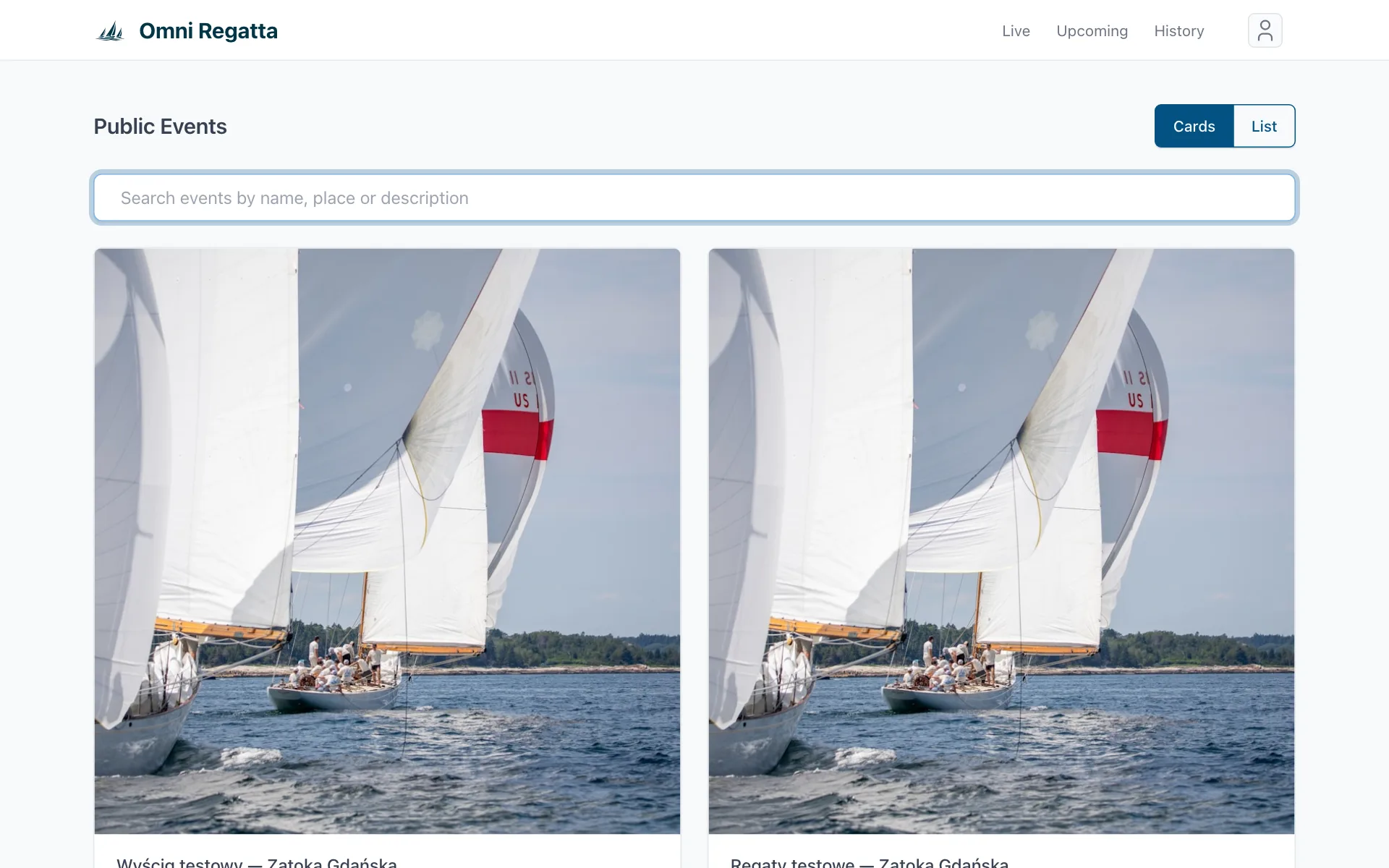
1. Event list
The home page lists all public events. The buttons at the top filter it: Live (happening now), Upcoming and History (finished, with replay).
2. Event page
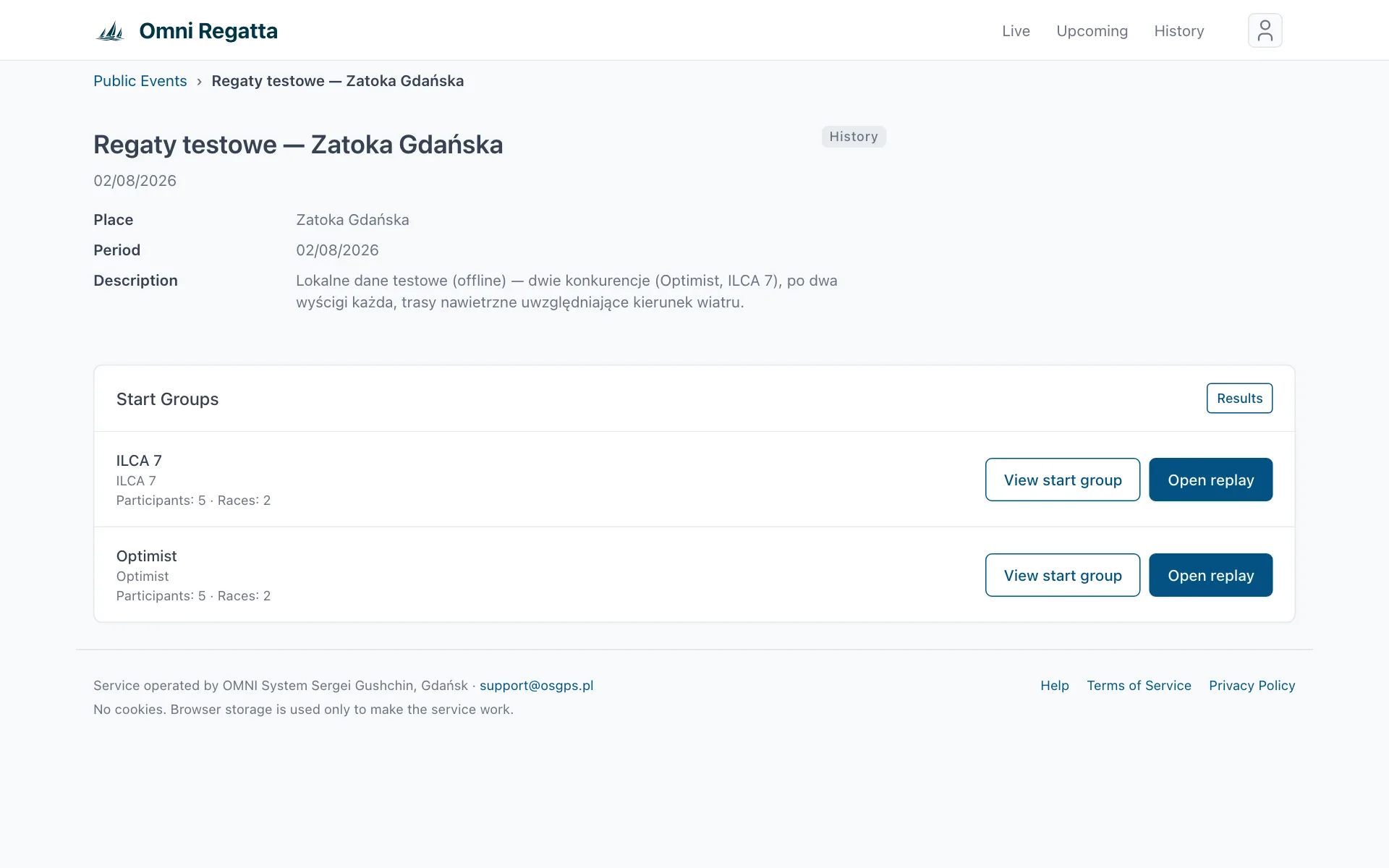
The event page shows the venue, dates, description and photos. At regattas with several classes each start group has View start group (races and participants) and Open replay (the map). Results leads to the rankings.
3. Live map and replay
During a race the map shows the boats live. Afterwards the same view is used for the replay.
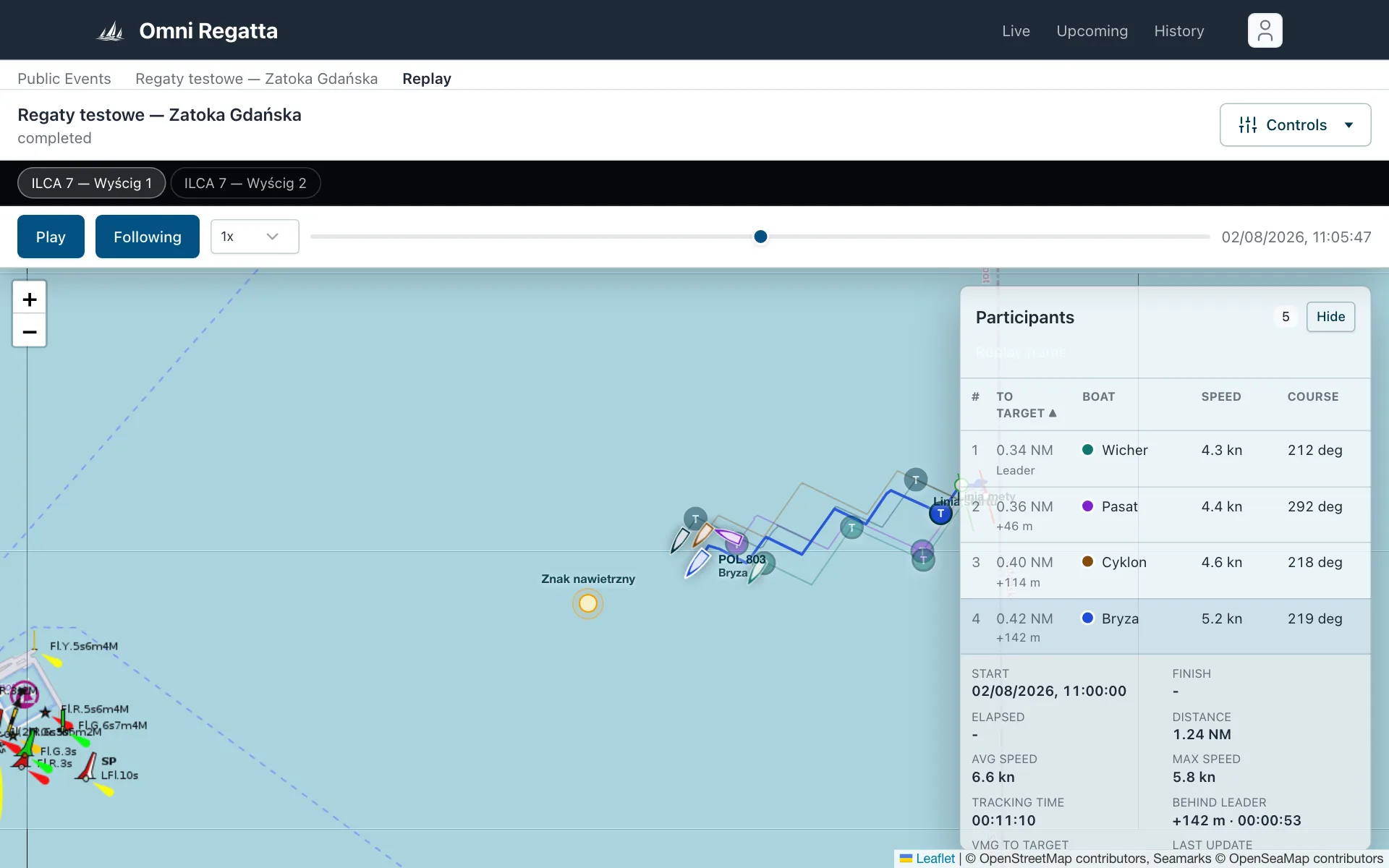
- Picking a race. Choose the race on the black bar below the header, e.g. ILCA 7 — Wyścig 1.
- Playback. Play starts the replay. Next to it you pick the speed, from 1x to 50x. The slider jumps to any moment, and the date and time on the right show where you are.
- Following. With Following on, the map moves with the fleet.
- Participant list. Boats are ordered by distance to the finish along the route (To target), with speed and course. Under the distance you see the gap to the leader, e.g. “+1.24 NM”. Hide collapses the panel.
- Map. Zoom with the mouse wheel or two fingers. Clicking a boat on the map or in the list zooms in on it and opens its details.
A boat is standing still on the live map? Most often the crew is briefly out of coverage. The positions arrive later, and the replay track fills in by itself.
4. Boat details
With a boat selected, its details appear under the list: start and finish time, elapsed time, distance sailed, average and top speed, Behind leader (distance, and the time it needs at its current speed), VMG to target (how fast it closes on the mark), wind angle, tracking time and last update.
5. Controls menu
The Controls button at the top right opens more options:
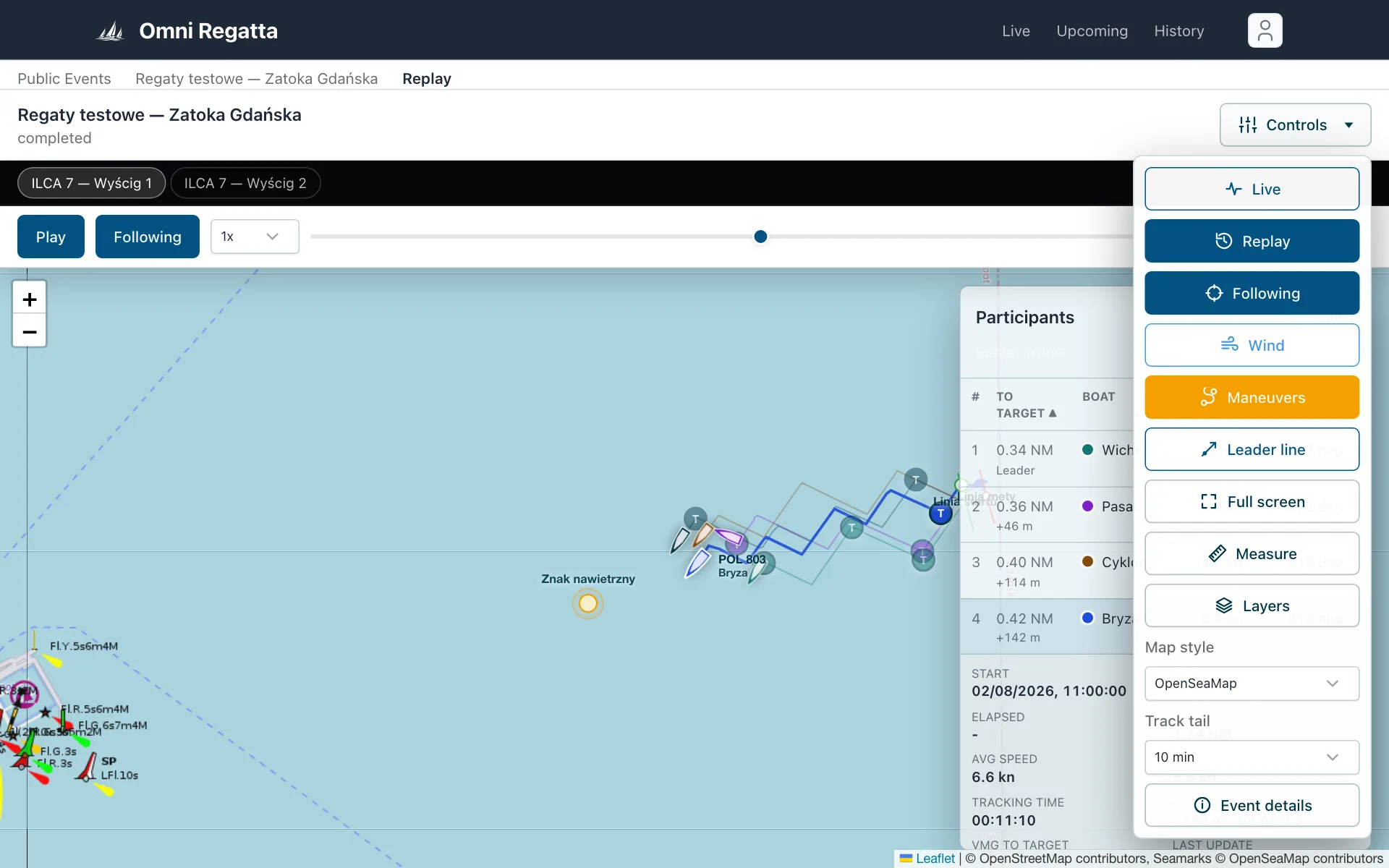
- Live / Replay
- Switches between the live view and playback.
- Wind
- Shows wind direction, strength and gusts, with a wind layer on the map. In Live it's the current wind; in Replay it's the historical wind, as it blew at the moment being replayed.
- Maneuvers
- Marks tacks and gybes on the tracks.
- Leader line
- A lilac arc through the leader's bow around its next mark: every point on it is as far from the mark as the leader. Boats behind the arc are behind the leader.
- Full screen
- The map on the whole screen (not available in Safari on iPhone).
- Measure
- Measures distance: click points on the map in turn, Reset starts over.
- Layers, Map style
- The base map (BHMW charts, satellite and more) and extra layers, including Route line: the orange line with numbered waypoints and direction arrows.
- Track tail
- How long the tail behind each boat is: 5, 10, 30 or 60 minutes.
- Event details
- Back to the event page.
6. Results and statistics
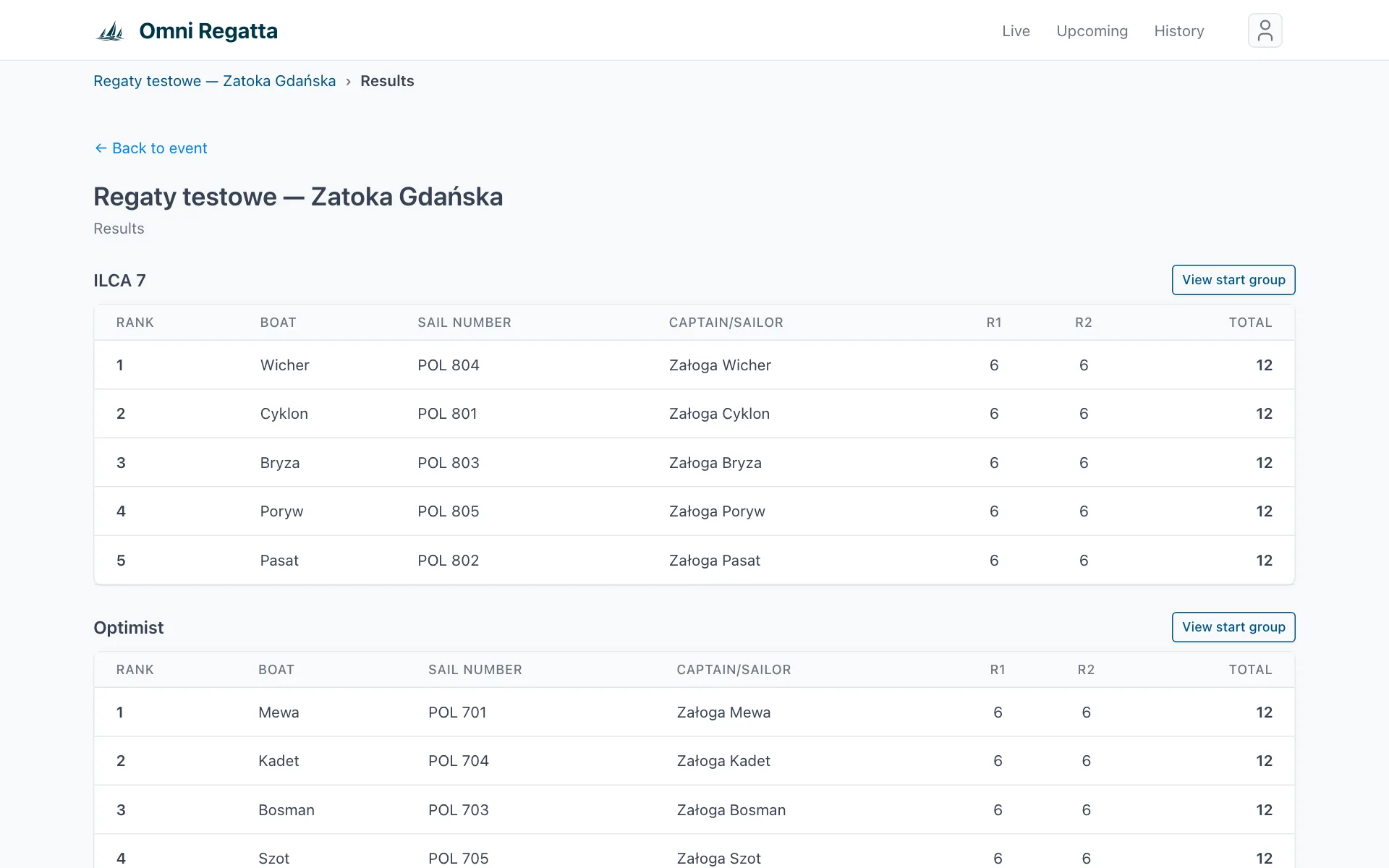
The Results page shows the ranking of each start group. The organizer can also publish it as a Results PDF. Sailors using Race Recorder can open their own statistics (legs, speeds, manoeuvres, charts) with My statistics and share the link.
In a race scored with a handicap the ranking is by corrected time: the table also shows each boat's rating and the delta to the winner. Codes such as RET, DNF, DNS or DSQ and results marked * were set or corrected by the organizer.
Positions through the race on the event page of a quick race shows each boat's place at the start, every mark and the finish, with places gained or lost, on corrected and on elapsed time. Places at marks come from GPS tracks and are unofficial. A ? means no place can be given, and a label next to a boat warns when its track has gaps.